What is an AI chatbot? How AI sales chatbots work and how to choose one
By The AI Chatbot team6 min read

An AI chatbot is an automated assistant that uses artificial intelligence to understand customer questions written in natural language and answer them instantly. Unlike a rule-based chatbot that walks customers through preset buttons, an AI sales chatbot reads your store's real data, such as products, prices, stock and policies, and answers customers on your website, Messenger, Shopee or TikTok Shop.
This article explains how AI chatbots work, their real benefits and limits, the common types, and how to choose the right one for your store.
What is an AI chatbot?
An AI chatbot is conversational software that understands what a person means instead of only matching keywords. It is built on large language models (LLMs) and natural language processing (NLP), so it understands questions written casually, with typos or shorthand.
In online selling, an AI chatbot usually does three jobs:
- Answers repeat questions about price, size, color, shipping cost, delivery time and return policy.
- Recommends products based on what the customer describes, for example "which serum is best for oily skin".
- Hands off to staff when a question is out of scope, is a complaint, or needs a special deal.
The most important point: a good AI sales chatbot does not answer from general internet knowledge. It answers from your own store's data.
How does an AI chatbot work?
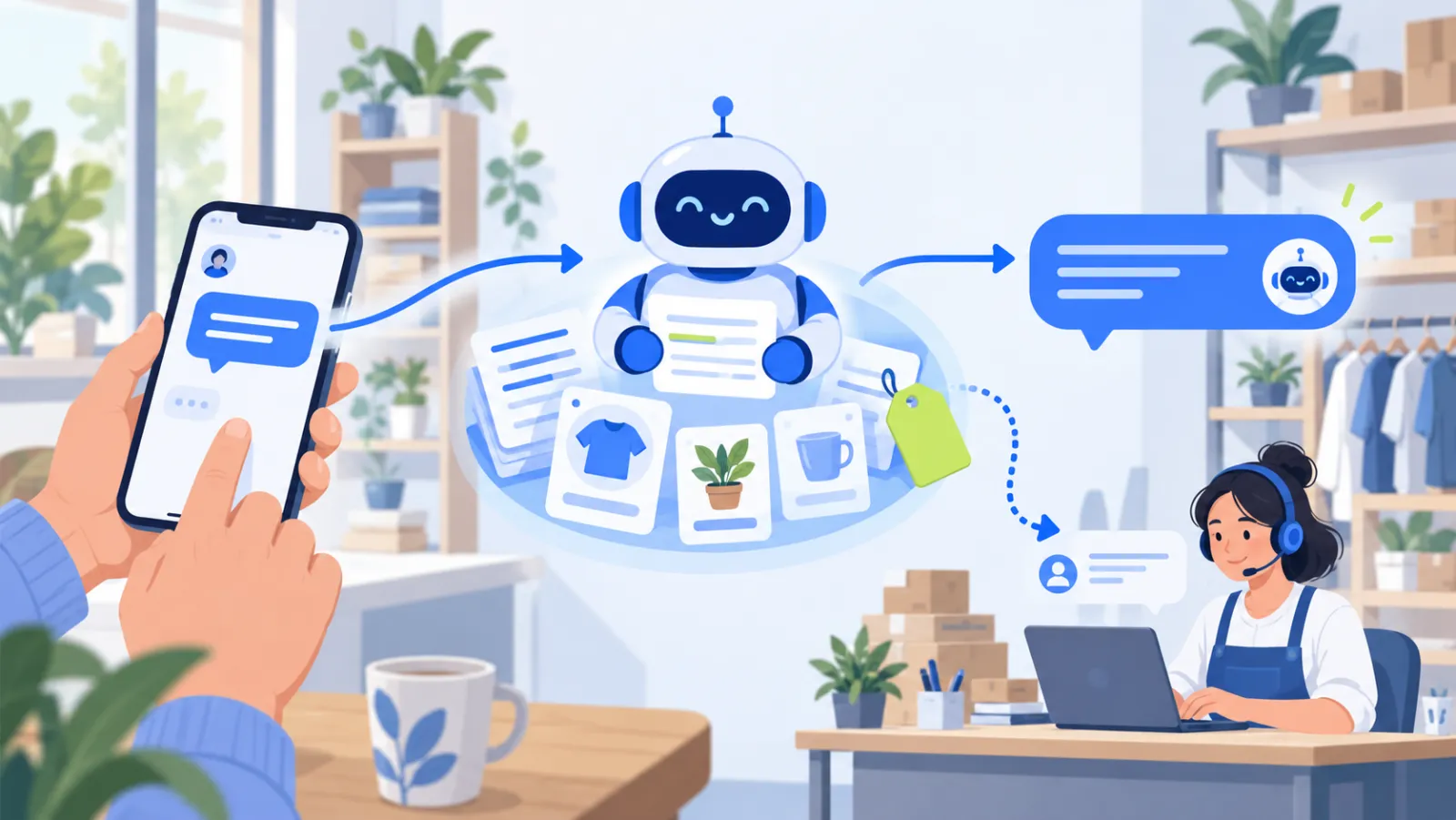
A modern AI sales chatbot typically goes through five steps each time a customer sends a message:
- Receives the message from the channel the customer is using, such as your website chat or Messenger.
- Understands the intent: is the customer asking about price, stock, policy, or asking for a human?
- Finds the information in your store's knowledge base. This technique is called RAG (Retrieval-Augmented Generation): the chatbot retrieves the relevant passages first, then writes its answer from them.
- Writes the answer in the customer's language and your store's voice, with the latest price and stock when products are synced.
- Hands off when needed: if it cannot find reliable information, it says so and passes the conversation to your team instead of guessing.
Steps 3 and 5 separate a trustworthy chatbot from one that just sounds confident. A chatbot without your store data will easily invent prices or promise policies you do not have.
AI chatbot vs rule-based chatbot
Many store owners have used rule-based Messenger bots with buttons like "See prices" and "Talk to an agent". Here is how the two compare:
| Criteria | Rule-based chatbot | AI chatbot |
|---|---|---|
| Understanding questions | Keyword matching, buttons | Understands intent in natural sentences |
| Off-script questions | Gets stuck or answers off topic | Searches your store data to answer |
| Typos and shorthand | Usually missed | Understood |
| Setup effort | Draw every flow, edit when products change | Add documents and catalog, stays up to date |
| When it does not know | Repeats the menu | Says so and hands off to staff |
| Best for | Fixed flows like newsletter sign-up | Product Q&A, advice, customer care |
If you are weighing a chatbot against plain live chat, read AI Chatbot vs generic live chat.
Benefits and limits of AI chatbots
Benefits
- Instant answers, even after hours. A customer messaging at 11 pm still gets an answer, so you do not lose the order to waiting.
- Many customers at once. At peak hours or during a livestream, the chatbot does not get overwhelmed the way one person answering in turn does.
- Consistent answers. Every customer gets the same price and policy information, whoever is on shift.
- Time back for your team. Staff focus on closing orders, complaints and key customers instead of answering "is this in stock" all day.
Limits
- Only as good as the data you give it. Old policies or wrong prices in your documents lead to wrong answers. Keep your knowledge short and current.
- Does not fully replace people. Complaints, price negotiation and special cases still need a person.
- Needs clear boundaries. A chatbot that is not set up to say "I don't know" can answer confidently and wrongly. Choose a tool with an honest handoff.
Common types of AI chatbots
- General AI assistants such as ChatGPT, Gemini or Claude: answer any topic but do not know your products, prices or stock.
- Customer care chatbots: answer FAQs, look up orders, explain returns.
- Sales chatbots: recommend products, quote prices, check stock and lead customers to checkout.
- Internal chatbots: help staff look up processes and training material.
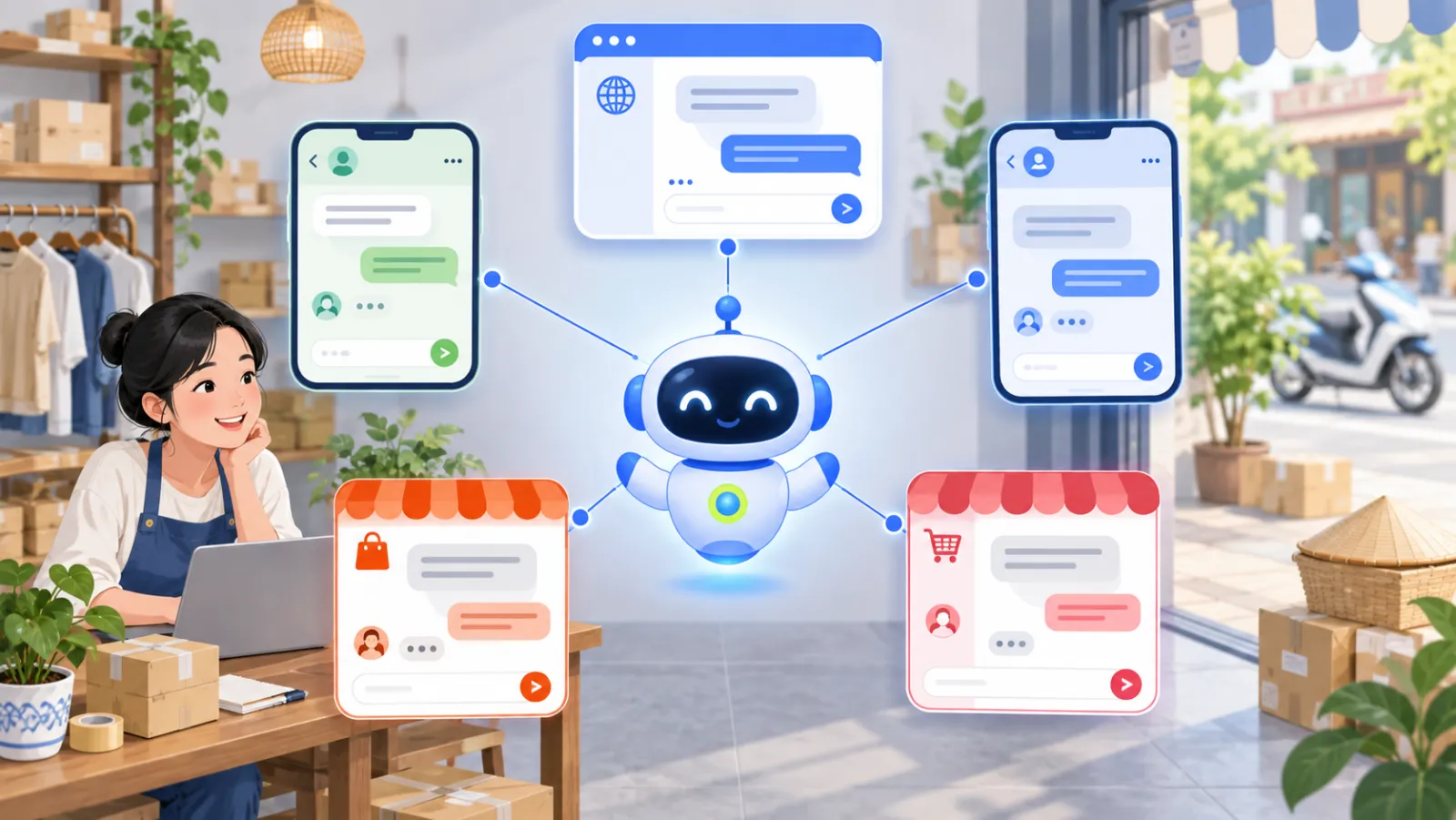
For an online store, the most useful type is usually a mix of sales and customer care chatbot, running on the channels your customers already message you on.
Real-world uses by industry
- Fashion and beauty: advise on size and skin type, compare products, confirm stock by color.
- Spas, clinics and dental: explain services, prices and opening hours, and collect booking details.
- Real estate: answer location, size and legal status questions, then pass qualified leads to an agent.
- Education and training centers: advise on courses, start dates and fees.
- Hotels and homestays: explain amenities, check-in and check-out times, and cancellation policy.
What these industries share is that customers ask the same group of questions again and again, and the answers already exist in the business's documents.
How to choose an AI chatbot for your store
Before you pick a tool, check these five things:
- Does it answer from your data? You should be able to add your website, PDF, DOCX and CSV files, and your product catalog.
- Does it run on the channels your customers use? For example your website, Facebook Messenger, Shopee and TikTok Shop.
- Does it sync products, prices and stock? If you sell on WooCommerce or TikTok Shop, the chatbot should update itself instead of you typing it in.
- Does it hand off honestly? The chatbot must be able to say "I don't know" and pass the conversation on, not guess.
- Can you try it before paying? Test the chatbot with real customer questions before customers see it.
AI Chatbot is built around exactly these five points: it answers from your store's knowledge, runs on your website, Messenger, Shopee and TikTok Shop, syncs products from WooCommerce and TikTok Shop, reads Shopify, Haravan and Sapo websites, and hands off to your team when it is not sure.
How much does an AI chatbot cost?
Cost depends on the number of channels, knowledge sources and monthly messages. AI Chatbot has a free plan for stores just starting out, and paid plans when you need more messages and knowledge sources. See the details on the pricing page, or chat with the live demo to see how it answers before you sign up.
Conclusion
AI chatbots are no longer a tool only for large companies. With a chatbot that answers from your own store data and hands off to a person when needed, even a small shop can answer every customer instantly on every channel. Start with the questions customers ask most, add your documents, test the answers, then grow from there.
Frequently asked questions
How is an AI chatbot different from a rule-based chatbot?
A rule-based chatbot follows preset buttons and keywords, so it gets stuck when a customer goes off script. An AI chatbot understands questions written naturally, including typos and shorthand, and looks up the answer in your store's data.
Can an AI chatbot give wrong answers?
It can, if it is allowed to guess when information is missing. A good chatbot answers only from the documents, products and policies you provide, and says it does not know and hands off to your team when a question falls outside that data.
Can an AI chatbot replace customer support staff?
Not entirely. It handles repeat questions about price, stock, shipping and returns well. Negotiations, complaints and special decisions should still go to a person.
Is an AI chatbot worth it for a small store?
Yes, especially when the owner answers messages across several channels alone. The chatbot replies instantly, even after hours, so customers are not left waiting and fewer orders are lost.
How long does it take to set up an AI sales chatbot?
With AI Chatbot you add knowledge sources such as your website, PDF files or product catalog, test answers in the preview, then connect a chat channel. If your documents are ready, you can finish in an afternoon.